Reports overview
Reporting in Kaseya SIEM provides a structured way to review, summarize, and document security‑relevant information that the platform has already collected and processed. Reports are designed to help teams step back from individual alerts and investigations and look at activity, configuration state, and trends in a form that can be reviewed, shared, or retained.
In practice, this information is accessed through the Reports area of the Kaseya SIEM interface, which includes the Risk Dashboard, individual report views, scheduling options, and report‑level settings. These views are intended for review and documentation after investigation, not for live analysis or alert triage.
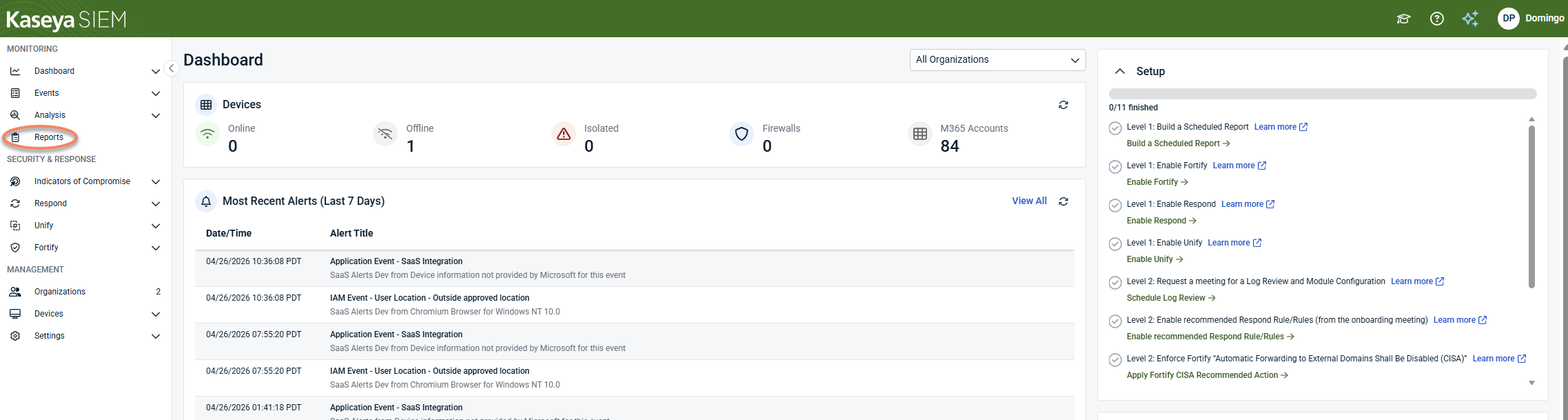
Reporting is intentionally descriptive rather than operational. It reflects observed activity and configuration state; it does not generate alerts, determine severity, influence detection logic, or execute response actions. Those decisions occur earlier in the SIEM workflow, during alert triage, investigation, and response. Reporting exists after that work, when context has already been established and information needs to be consolidated.
Reporting in the SIEM workflow
In Kaseya SIEM, reporting sits after detection and investigation: Detect > Investigate > Review and document.
Reports and dashboards help translate investigation results into structured outputs, such as summaries, timelines, configuration snapshots, and shareable or exportable artifacts.
Context established during investigation in the Analysis experience is later reviewed and summarized using reports and dashboards in the Reports module, rather than being recreated or re‑analyzed.
This separation is intentional. By placing reporting after investigation, the platform ensures that reports remain descriptive, reflecting what was observed, rather than prescriptive by design, influencing how the system behaves.
Activity timelines and documentation
Kaseya SIEM does not generate a dedicated timeline or case object. Instead, timelines are formed implicitly from investigation results and report data that already exist in the platform.
Investigations establish what occurred, when it occurred, and how different pieces of activity are related. Reports then capture and preserve that understanding in a form that can be reviewed or shared outside the live investigation experience.
As a result, timelines are reconstructed by reviewing report output and dashboards, rather than through a single standalone “timeline” screen.
This approach keeps reporting focused on documentation and explanation, rather than discovery or response, and avoids treating reports as operational artifacts.
What reporting is used for
In practice, reporting is most often used when teams need to communicate outcomes rather than make decisions. This includes summarizing activity for internal review, explaining findings to customers, validating configuration state, or retaining artifacts that support later follow‑up. Reports translate investigation results and platform data into a format that can be consumed outside the live investigation experience.
Because reports present information that has already been processed, they are well‑suited for recurring review and documentation. They allow teams to revisit what was observed without re‑running investigations or modifying detection behavior.
These review and communication tasks are typically performed using individual Executive, Operational, or Configuration reports, as well as visual summaries in the Risk Dashboard, depending on the level of detail required.
Types of reporting information
Reporting in Kaseya SIEM covers multiple perspectives on the same underlying data. Some reports are designed to provide high‑level summaries, suitable for oversight and communication. Others focus on operational detail, such as alert volumes or integration status. Configuration‑oriented reports provide visibility into current state, allowing teams to review settings, account attributes, or security posture without modifying them.
These distinctions are reflected directly in how reports are organized and categorized within the Reports module of the SIEM interface.
All reports reflect data already ingested and processed by the platform, subject to integration scope and availability.
What reporting does not replace
Reporting is not a substitute for investigation. It should not be used to determine root cause, assess intent, or decide on response actions in isolation. Those activities belong in investigation workflows such as Investigating activity using the Analysis page.
Similarly, reporting should not be treated as a compliance engine. While reports can support audit conversations or evidence requests, they do not certify compliance, enforce regulatory requirements, or guarantee coverage. They provide documented visibility into what the platform observed and recorded.
Understanding report context
Most reports can be interpreted directly from their descriptions and placement. In some cases, additional context may be required, such as prerequisites, permissions, or data‑sourcing nuances.
That additional guidance is provided through report‑specific reference articles linked from the Reports section, rather than by expanding general reporting documentation.
When reviewing report output, always consider the scope of the underlying data, the integrations involved, and the time range selected. Reports reflect the data available to the platform at the time they are generated.
Using reporting effectively
Reporting is most effective once investigation has already clarified what happened and what matters. Use reports to capture and communicate that understanding, not to discover it.
If you are still working through alerts or determining the scope of an incident, investigation workflows should come first. Once context is established, reporting provides a durable way to review, share, and retain the results.
Details on navigating the Reports UI, dashboards, scheduling, and presentation options are covered in Using the Reports module.
Exporting investigation data
Exporting allows you to capture report output and investigation‑related data for offline review, sharing, or retention. Exports reflect the state of the data at the time they are generated and do not update automatically.
Exporting does not change data, trigger alerts, or affect investigation results. It is used for documentation and communication after investigation has established context, not as part of investigation or response.
Related articles
-
Using the Reports module: Explains how to access and work with the Reports area in the Kaseya SIEM interface, including the Risk Dashboard, individual report views, scheduled reports, and report branding options
-
Investigating activity using the Analysis page: Describes how investigations establish timelines, context, and related activity before reports are used for review, documentation, or sharing
-
Understanding the MFA Report: Provides report‑specific interpretation guidance, including data sources, account inclusion rules, and reasons SIEM report results may differ from Microsoft admin views
-
Mailbox Forwarding Rule Report: Explains prerequisites, permissions, and expected behavior for mailbox forwarding rule reporting, including common scenarios where no results appear


