Integration: Kaseya SIEM and VSA 9
 Security and navigation
Kaseya SIEM
NAVIGATION Organizations > Edit Organization (pencil icon) > + New Application > Kaseya VSA (under MSP Tools)
PERMISSIONS Administrator permissions
VSA 9
NAVIGATION System > Server Management > OAuth Clients
PERMISSIONS Permissions to create OAuth clients
The Kaseya SIEM and VSA 9 integration enables organizations to connect a VSA 9 instance to Kaseya SIEM using OAuth authentication. Once connected, VSA 9 becomes available as an application within the organization and can be used with supported Kaseya SIEM workflows. If Unify functionality is configured, VSA 9 asset data can also support Unify-related correlation workflows.
Prerequisites
Before configuring the integration, make sure the following requirements are met:
-
The VSA 9 domain or URL for the instance
-
Credentials for a VSA 9 user with permissions to create OAuth clients
-
An OAuth Client ID and Client Secret generated in VSA 9
-
Administrative access to Kaseya SIEM
If IP restrictions are configured in your firewall or in VSA 9, allow the following IP addresses:
-
35.192.223.4
-
35.224.156.102
Required API permissions
The OAuth client must have access to the following endpoints:
-
api/v1.0/system/orgs
-
api/v1.0/assetmgmt/agents
-
api/v1.0/assetmgmt/assets/{{agentId}}/customfields
-
api/v1.0/system/users
-
api/v1.0/environment
-
api/v1.0/system/logs
-
api/v1.0/assetmgmt/logs/{{agentId}}/*
How to...
Obtain the VSA 9 domain
Copy the VSA 9 domain or URL from the browser address bar used to access the VSA 9 instance.
Create an OAuth client
To generate the credentials required for the integration, complete the following steps:
-
Sign in to VSA 9 using an account with permissions to create OAuth clients.
-
Navigate to System > Server Management > OAuth Clients.
-
Click Register Client.
-
In the Register Client window, enter the following information:
-
Client Name: Kaseya SIEM
-
Redirect URL: https://manage.kaseyasiem.com/products/oauth2/redirect
-
Email: An email address that can receive the Client ID and Client Secret
-
-
Complete the registration process.
-
Copy and securely store the Client ID and Client Secret.
NOTE You may need to scroll horizontally within the pop-up window to view the entire Client Secret.
The OAuth credentials are now ready to be used when connecting VSA 9 to Kaseya SIEM.
Connect Kaseya SIEM to VSA 9
To enable the integration, complete the following steps:
-
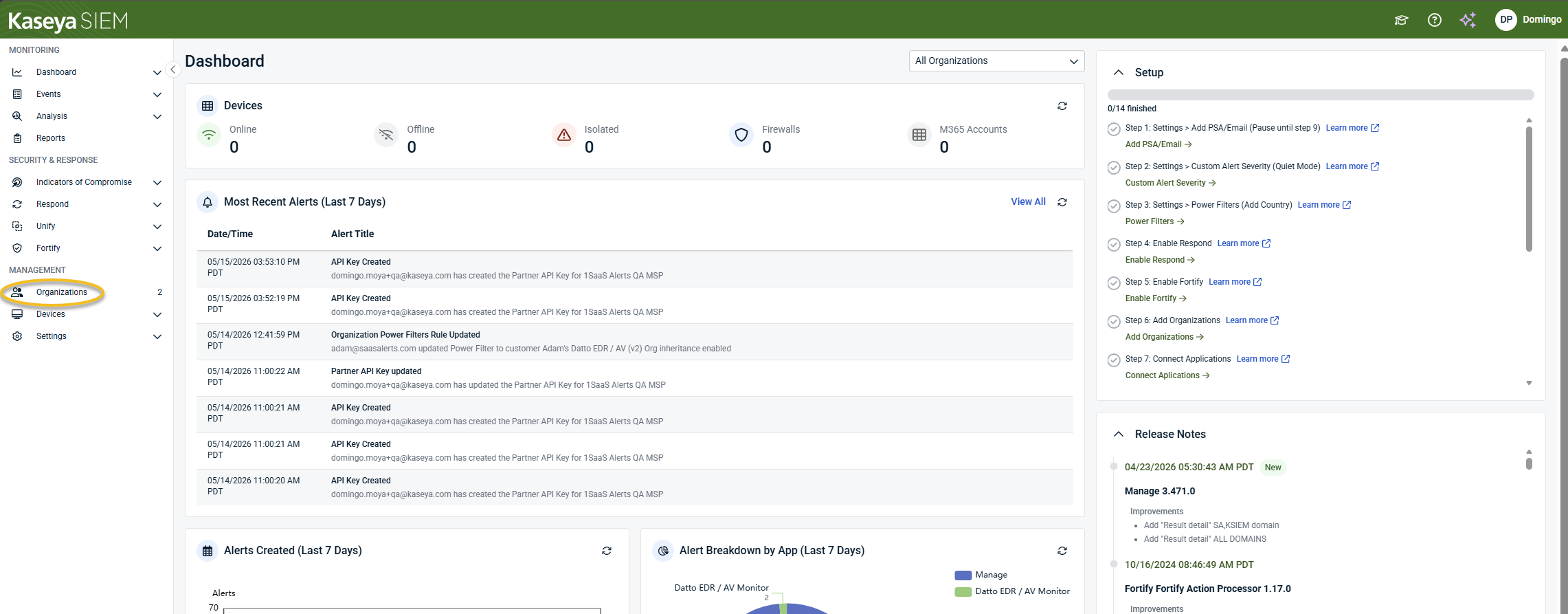
From the side navigation menu, click Organizations.
-
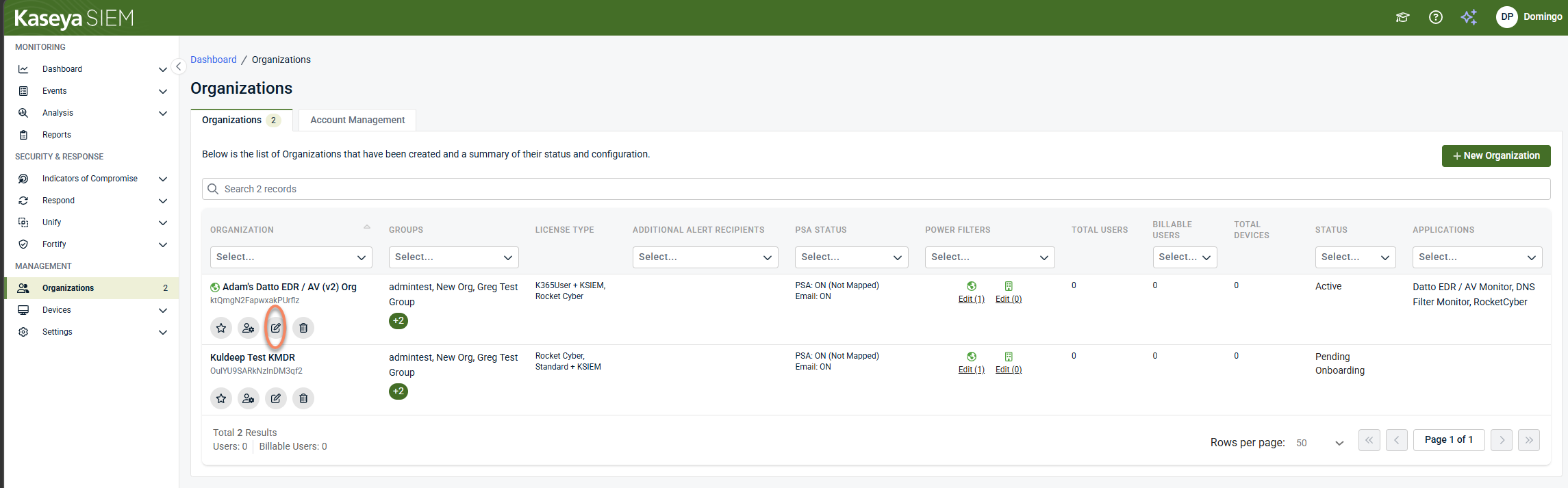
Select an organization and click Edit Organization (pencil icon).
-
Click + New Application.

-
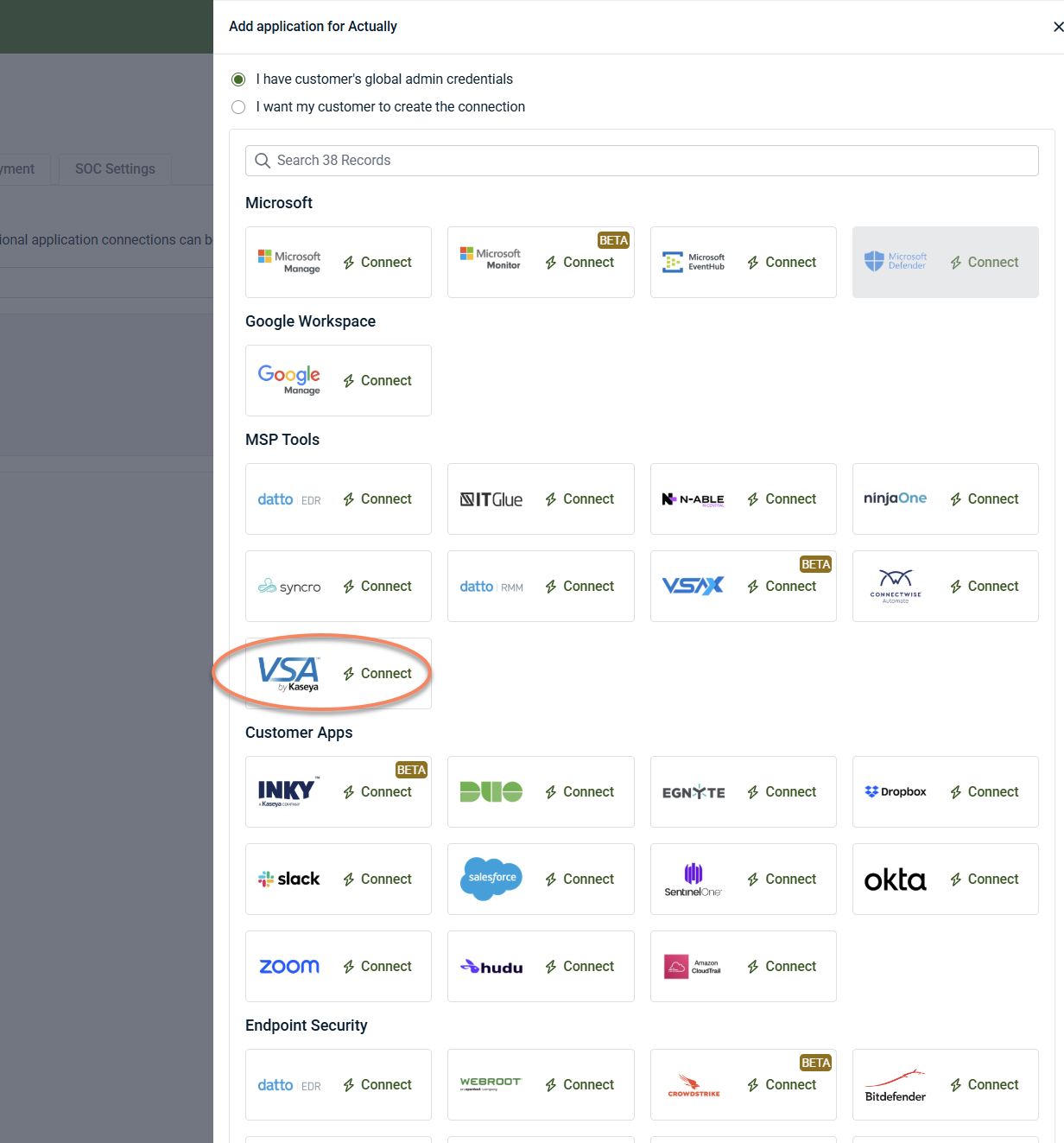
Under MSP Tools, select VSA and click Connect.
IMPORTANT If the same VSA 9 instance is connected to multiple organizations, duplicate events and alerts may be generated. Unless you have multiple VSA 9 instances, do not add the same connection to multiple organizations.
-
Enter the following information in the connection wizard:
-
VSA 9 Domain
-
OAuth Client ID
-
OAuth Client Secret
-
-
Click Next.
-
When prompted, sign in using your VSA 9 credentials and complete MFA verification if required.
-
In the Allow Access window, click Allow.
-
Complete the Organization Mapping step.
-
Finish the wizard.
When the connection is successful, Kaseya VSA appears under the organization's Applications tab.
Disable the integration in Kaseya SIEM
To disable the integration, complete the following steps:
-
From the side navigation menu, click Organizations.
-
Select the organization and click Edit Organization (pencil icon).
-
On the Applications tab, select VSA under MSP Tools.
-
Click Disconnect Application and confirm.
-
Confirm the action.
Kaseya SIEM stops collecting data from the connected VSA 9 instance.
Troubleshooting
The Allow Access window opens and immediately closes
This behavior may be caused by a password manager automatically populating credentials. Try connecting using an Incognito browser session with password manager autofill disabled.
Unable to connect VSA 9
Verify that:
-
The VSA 9 domain was entered correctly.
-
The OAuth Client ID is correct.
-
The OAuth Client Secret is correct.
-
The OAuth client was configured using the correct redirect URL.
-
Any firewall or product-level IP restrictions allow the required IP addresses.
Duplicate events or alerts appear
Verify that the same VSA 9 instance is not connected to multiple organizations. Connecting the same VSA 9 instance to multiple organizations can result in duplicate event and alert generation
Microsoft Entra ID is not required for the basic integration. However, it may be used to support enhanced Unify functionality if configured.


